
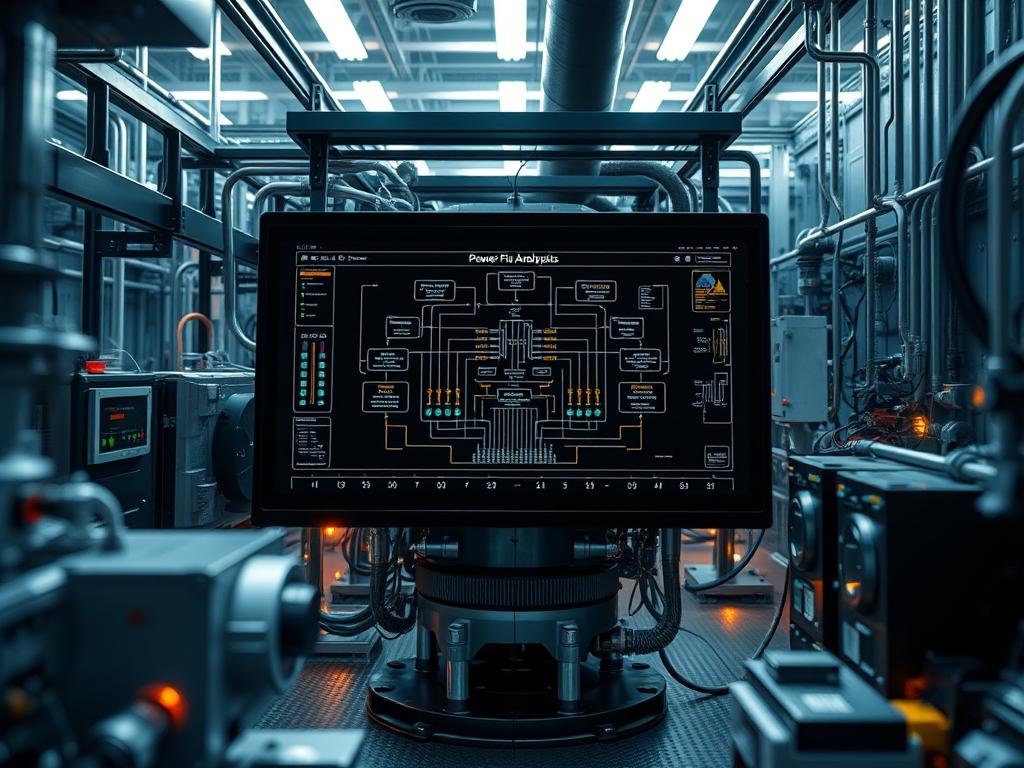
Real Time Power Flow Analysis serves as the central analytical engine within a modern Energy Management System (EMS). It enables utility operators to move beyond static, pre-calculated contingency plans into a dynamic, state-aware operational posture. In the context of increasing renewable penetration and volatile load profiles; relying on historical averages introduces unacceptable risks to grid stability. This analysis solves the critical problem of grid visibility by calculating the complex voltage at every bus and the active or reactive power flowing through every transmission line in near real-time. By integrating SCADA telemetry with high-fidelity mathematical models; the EMS can predict potential thermal overloads or voltage violations before they manifest as physical failures. This integration sits atop a technical stack involving high-frequency data ingestion; state estimation; and a robust calculation engine. It bridges the gap between raw sensor data and actionable dispatch decisions; ensuring that the grid maintains high-level stability despite the stochastic nature of modern energy demand.
Technical Specifications
| Requirements | Default Port/Operating Range | Protocol/Standard | Impact Level (1-10) | Recommended Resources |
| :— | :— | :— | :— | :— |
| SCADA Ingestion | Port 20000 (DNP3) / 502 (Modbus) | IEEE 1815-2012 | 10 | 16GB RAM / Quad Core CPU |
| PMU Data Stream | Port 4712 (C37.118) | IEEE C37.118.2 | 9 | High-Speed SSD / 1Gbps NIC |
| State Estimator | 5s to 30s Cycles | IEC 61970 (CIM) | 8 | Multi-thread Concurrency |
| Voltage Range | 0.95 to 1.05 p.u. | ANSI C84.1 | 7 | Real-time Telemetry |
| Thermal Limits | 0 to 120 Percent | IEEE Standard 738 | 9 | Precision Thermal Sensors |
The Configuration Protocol
Environment Prerequisites:
Successful deployment requires a Linux-based environment; preferably RHEL 8 or Ubuntu 20.04 LTS; to ensure kernel stability during high-throughput calculations. Software dependencies include the OpenBLAS or Intel MKL libraries for high-performance linear algebra and Python 3.9+ for script-level orchestration. On the networking side; all Remote Terminal Units (RTUs) and Phasor Measurement Units (PMUs) must be synchronized via a PTP (Precision Time Protocol) clock (IEEE 1588) to prevent data skew. User permissions must be strictly scoped: the ems-powerflow service account requires read access to /dev/ttyS0 or network sockets but must not possess root privileges to minimize the security blast radius.
Section A: Implementation Logic:
The engineering design of Real Time Power Flow Analysis relies on the iterative solution of non-linear algebraic equations. Before a single line of code is executed; the system must establish a valid State Estimation (SE). The SE filters out white noise and “bad data” from the raw telemetry. The “Why” behind this setup is the reduction of mathematical divergence. Without a clean state; the Newton-Raphson method used inside the solver will fail to converge; leading to “Numerical Singularity” in the Jacobian matrix. We employ encapsulation to isolate the “Bus-Branch” model from the “Point-to-Point” telemetry; allowing the solver to focus on a consistent mathematical representation of the physical assets. This modularity ensures that the computational overhead remains manageable even as the node count scales.
Step-By-Step Execution
1. Initialize the Grid Topology Model
Execute the command ems-loader –import /etc/grid/model_v2.cim.
System Note: This command parses the Common Information Model (CIM) and builds the nodal connectivity matrix in the system memory. It defines the admittance matrix (Y-Bus) which is foundational for all subsequent calculations.
2. Configure the SCADA Data Sourcing
Modify the configuration file at /etc/ems/telemetry.conf to map the physical Register Addresses to the logical Model IDs. Use the command systemctl restart ems-fep to re-initialize the Front End Processor.
System Note: This establishes the “Southbound” connection to the field hardware. It initializes the polling sequence; ensuring that the payload of each packet is correctly decoded into floating-point values for voltage and current.
3. Verification of Time-Synchronization
Run chronyc sources -v to verify that the system clock is synchronized with the GPS-disciplined master clock.
System Note: Power flow analysis is time-sensitive. If the signal-attenuation in the synchronization line causes a drift exceeding 10 milliseconds; the calculated phase angles will be erroneous; leading to false instability alarms.
4. Execute the State Estimation (Base Run)
Trigger the initial state run using se-engine –mode idempotent –tolerance 1e-6.
System Note: This command performs a weighted least squares calculation. By setting it to be idempotent; we ensure that repeating the operation with the same input produces the same output; which is critical for verifying the stability of the solver’s kernel.
5. Launch the Real Time Power Flow Solver
Initiate the continuous solver with powerflow-solver –interval 2 –concurrency 8.
System Note: This spawns multiple threads to handle the Jacobian decomposition. High concurrency is required to maintain low latency; ensuring the power flow solution is completed within the two-second window before the next telemetry update arrives.
6. Set Thermal and Voltage Threshold Alarms
Use the logic-controller –threshold-config /etc/ems/alarms.json tool to set physical limits.
System Note: This interacts with the alarm service to monitor the output of the solver. If the calculated thermal-inertia of a transmission line indicates an imminent breach of the 100 percent rating; the system triggers a prioritized alert to the dispatcher.
Section B: Dependency Fault-Lines:
The most common point of failure is “Mathematical Non-Convergence.” This occurs when the grid is under extreme stress; or the data inputs are mathematically inconsistent. If the Y-Bus matrix becomes ill-conditioned; the solver will fail. Another bottleneck is “Packet-Loss” in the communication layer. If more than 5 percent of the telemetry packets are lost; the state estimator will produce a “Low Confidence” flag; which prevents the Real Time Power Flow Analysis from updating. This creates a data-hole where the operator is effectively blind until the connection is restored. Mechanical bottlenecks at the sensor level; such as a “Stale” transducer value; can also inject “Ghost Loads” into the model; leading to phantom overflows.
THE TROUBLESHOOTING MATRIX
Section C: Logs & Debugging:
When the solver fails; the primary log file is located at /var/log/ems/pf_solver.log. Search for the error string “CONVERGENCE_FAILED”. Typical reasons include:
1. Zero-Impedance Braches: Check the model for erroneous line parameters where resistance and reactance are set to zero.
2. Phase Angle Jump: Compare PMU data at the local bus with downstream sensors. If the angle jump exceeds 30 degrees unexpectedly; investigate sensor calibration or physical line-trips.
3. Jacobian Singularity: Use the command matrix-tool –analyze /tmp/jacobian_dump.bin. If the condition number is excessively high; the engine is likely at a “Voltage Collapse” point or has a data-entry error in the tap-changer position.
Visual cues from the EMS dashboard are equally important. A “Greyed-Out” bus indicates that the telemetry stream has stopped. A “Flashing Red” branch indicates a violation calculated by the solver; which must be cross-verified against the raw SCADA values using the fluke-multimeter at the physical substation if the error is suspected to be a sensor failure.
OPTIMIZATION & HARDENING
Performance Tuning:
To improve throughput; optimize the linear solver to utilize SIMD (Single Instruction; Multiple Data) instructions on the CPU. Reducing the Newton-Raphson latency involves utilizing a “Fast-Decoupled” power flow algorithm during transient events where speed is more critical than the high precision of the full Newton-Raphson method. Adjusting the thread affinity for the powerflow-solver process ensures that it stays on the high-performance cores; avoiding the overhead of context switching.
Security Hardening:
All IEC 61850 or DNP3 traffic must be encapsulated within a TLS (Transport Layer Security) tunnel where possible. Use iptables to drop any traffic to the EMS ports that does not originate from a verified Gateway IP. Implement fail-safe physical logic at the substation level; ensuring that even if the EMS sends a malicious or erroneous “Open Breaker” command; a local “Permissive Overreach” logic-controller must still validate the state before the hardware acts.
Scaling Logic:
As the grid expands; the nodal count grows. To maintain performance; implement a “Regional Decomposition” strategy. The grid is split into smaller; overlapping zones. Each zone is solved independently on a separate cluster node; and the boundary conditions are reconciled at the end of each iteration. This allows the system to scale horizontally; adding more compute nodes to handle the increased mathematical payload of a larger grid.
THE ADMIN DESK
How do I handle a “State Estimator Bypass” alert?
This alert indicates that the Power Flow is running on raw; unfiltered data. Verify the se-service status with systemctl status. Re-sync the PMU clocks and check for packet-loss on the primary telemetry link.
What causes a sudden spike in calculation latency?
Latency spikes are usually caused by resource contention on the host. Check for high disk I/O or other cron-jobs. Also; ensure the Jacobian matrix hasn’t become ill-conditioned; which increases the number of iterations required for convergence.
Why is there a discrepancy between SCADA and Power Flow results?
Small discrepancies are expected due to the signal-attenuation and measurement error. However; large gaps suggest a “Topology Mismatch.” Check if a breaker status was updated in the field but not correctly reflected in the CIM model.
Can I run the solver on a virtualized environment?
Yes; but you must reserve physical CPU cores (pinning) and disable memory oversubscription. The thermal-inertia of the physical server must be monitored to prevent CPU throttling; which would jeopardize the real-time execution windows.