
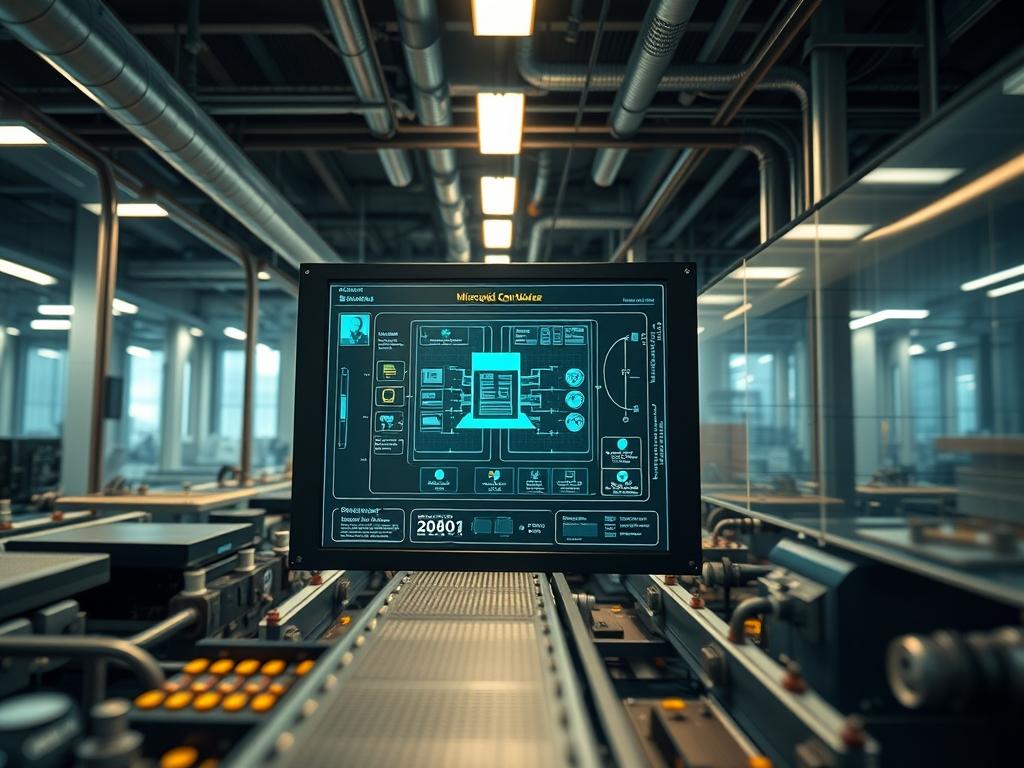
Microgrid Controller Hardware in Loop (HIL) represents the pinnacle of modern power systems engineering; it provides a real time simulation environment where a physical controller interacts with a virtualized power grid. This methodology solves the critical problem of validating complex control sequences, such as black-start recovery, load shedding, and frequency regulation, without risking the catastrophic failure of physical assets. By providing a low latency feedback loop between the simulated plant and the physical hardware, engineers can observe the response of a microgrid controller to edge case scenarios like high-impedance faults or rapid cloud transient effects on solar arrays. Within the broader technical stack, HIL sits at the intersection of operational technology (OT) and information technology (IT); it acts as the primary validation gate before firmware deployment to field assets. This manual outlines the architecture, implementation, and troubleshooting requirements for a high fidelity Microgrid Controller Hardware in Loop environment.
TECHNICAL SPECIFICATIONS
| Requirement | Default Port/Operating Range | Protocol/Standard | Impact Level (1-10) | Recommended Resources |
| :— | :— | :— | :— | :— |
| Real-Time Simulator | < 50 microseconds latency | IEEE 2030.7 / 2030.8 | 10 | 16-Core Xeon / 64GB RAM |
| Communication Interface | Port 502 (Modbus), 102 (MMS) | IEC 61850 / Modbus TCP | 9 | Dedicated 10Gbps NIC |
| Analog Signal Range | -10V to +10V DC | 16-bit Resolution | 8 | Shielded BNC Cabling |
| Digital I/O Logic | 0V (Low) to 24V (High) | IEC 61131-3 | 7 | Opto-isolated I/O Modules |
| Time Sync Provider | PTP (Precision Time Protocol) | IEEE 1588v2 | 9 | GPS Disciplined Clock |
| Environmental Control | 20C to 25C | ASHRAE TC 9.9 | 5 | 2U Rack Cooling Fan Array |
THE CONFIGURATION PROTOCOL
Environment Prerequisites:
Successful HIL execution requires a strictly controlled software and hardware baseline. The host operating system must utilize a real time kernel, such as Linux with the PREEMPT_RT patch, to ensure that task scheduling does not introduce non-deterministic jitter. Software dependencies include MATLAB/Simulink with Simscape Electrical, or an equivalent real time target such as RT-LAB or OPAL-RT. All networking hardware must support IEEE 1547.1 for interconnection testing and IEC 61850-8-1 for GOOSE (Generic Object Oriented Substation Event) messaging. User permissions must allow for raw socket access and memory locking to prevent the swap daemon from impacting simulation timing.
Section A: Implementation Logic:
The engineering design of a Microgrid Controller Hardware in Loop setup relies on the concept of signal encapsulation. The real time simulator computes the state space equations of the power network, including generators, inverters, and loads. These high voltage states are scaled down to low voltage analog signals or mapped to digital communication packets. The physical controller under test (the DUT) receives these signals, processes its control logic, and sends back command signals (e.g., breaker trip, inverter setpoints). This closed loop process must be idempotent; every identical input state from the simulator should yield a predictable and repeatable output from the controller. Minimizing the round-trip time (RTT) is essential to prevent artificial phase shifts that could destabilize the simulation.
Step-By-Step Execution
1. Hardware Interface Alignment
Connect the physical I/O pins of the Microgrid Controller to the analog/digital breakout boards of the real time simulator using shielded twisted-pair wiring. Ensure the ground reference is common between the simulator and the controller to prevent floating voltage offsets.
System Note: This step establishes the physical layer for signal transmission. Improper grounding leads to signal-attenuation and introduces noise into the 16-bit ADCs (Analog-to-Digital Converters), which the controller kernel may interpret as grid instability.
2. Real-Time Kernel Optimization
Access the simulator terminal and execute systemctl stop irqbalance to prevent the OS from redistributing interrupts across CPU cores during the simulation. Use taskset or cset to isolate specific CPU cores exclusively for the simulation engine and the communication stack.
System Note: Disabling interrupt balancing ensures that the simulation payload is processed with minimal overhead and zero context-switching latency. This is crucial for maintaining a sub-50 microsecond step time.
3. Communication Stack Initialization
Configure the Modbus/TCP or MMS server on the simulator. Edit the configuration file at /etc/hil-sim/protocols.conf to define the mapping between the simulation variables and the register addresses. Verify the link using mbpoll or a similar utility.
System Note: This binds the virtual power world to the data bus. It defines the payload structure that the controller will parse to understand the simulated grid’s status.
4. Calibration and Scaling Factor Definition
Apply a known 5.0V signal to the analog input and verify the reading in the controller’s internal registers. Use chmod +x /usr/local/bin/calibrate_hil.sh to run the local scaling script which maps the -10V/+10V range to the physical values (e.g., 0V to 480V RMS).
System Note: Calibration ensures that the controller sees realistic magnitudes. If scaling is incorrect, the controller logic may trigger false protective actions based on erroneous thermal-inertia or over-voltage calculations.
5. Execute Simulation Loop
Initiate the model execution from the simulator management console. Monitor the loop duration and the count of overruns. If the simulation cannot complete its calculations within the allotted time step, increase the step size or simplify the model components.
System Note: A simulation overrun occurs when the CPU cannot finish the differential equation solvers before the next clock pulse. This leads to packet-loss and breaks the real time validity of the HIL test.
Section B: Dependency Fault-Lines:
The most frequent point of failure in Microgrid Controller Hardware in Loop testing is the synchronization between the simulator’s internal clock and the controller’s communication cycle. If the controller expects a heartbeat every 10ms but the simulator experiences a 2ms jitter, the controller may enter a “fail-safe” state. Another common bottleneck is the thermal-inertia of the simulated components; if the simulated inverter models are too computationally intensive, the simulator’s throughput will drop, causing a disconnect between the physical PWM (Pulse Width Modulation) signals and the virtual switch states. Library conflicts between different versions of OpenSSL or LibModbus can also prevent the communication service from starting correctly.
THE TROUBLESHOOTING MATRIX
Section C: Logs & Debugging:
When a fault occurs, start by checking the kernel ring buffer via dmesg | tail -n 50 to identify hardware interrupt misses. For communication failures, inspect the log file located at /var/log/hil_comm_error.log. If the controller fails to respond to a trip command, use a tcpdump -i eth0 port 502 command to capture and analyze the traffic via Wireshark. Look for retransmission flags or delayed ACK packets which indicate network congestion.
If the analog signal appears distorted, use a fluke-multimeter to measure the voltage at the terminal block; if the physical voltage is correct but the software readout is wrong, the issue lies in the ADC gain settings or the software normalization logic. For GOOSE message failures, verify the Destination MAC Address and the VLAN ID in the simulator’s network configuration, as these must match the controller’s expectations exactly.
OPTIMIZATION & HARDENING
Performance Tuning:
To maximize throughput, utilize memory pinning for all simulation processes to prevent paging to the disk. Adjust the concurrency settings in the simulation engine to parallelize the power flow calculations across multiple cores, ensuring that the interface task remains on a high priority core. Reducing the number of logged signals during a run can also significantly lower the I/O overhead.
Security Hardening:
HIL environments are often targets for lateral movement in industrial networks. Use iptables or nftables to restrict access to the simulator’s management ports (e.g., SSH, 22) only to authorized engineering workstations. Implement VLAN separation for the simulation traffic to prevent broadcast storms from impacting the corporate network. Ensure that all local scripts have the most restrictive permissions possible, using chmod 700 for sensitive execution files.
Scaling Logic:
As the microgrid model grows from a single house to a multi-node campus, the HIL setup must scale horizontally. This is achieved by interconnecting multiple real-time simulators via an ultra-low latency fiber link. Distribute the load by assigning specific feeders or microgrid zones to individual simulators while maintaining a unified clock reference via IEEE 1588v2 Precision Time Protocol.
THE ADMIN DESK
How do I reduce jitter in my GOOSE messaging?
Ensure your network switch supports Layer 2 wire speed switching and prioritize GOOSE frames using 802.1p CoS values. Isolate the HIL traffic from all other network noise using a dedicated physical network interface and a shielded Cat6a cable.
What is the primary cause of simulation overruns?
Overruns are typically caused by overly complex solver settings or too many non-linear components in the model. Simplify the solver from variable-step to fixed-step and reduce the fidelity of less critical power electronics models to maintain the target step time.
The controller is not responding to Modbus commands. Why?
Check the Unit ID and register offsets. Most simulators use a 0-based index while some controllers use 1-based indexing. Use netstat -tuln on the simulator to verify that the Modbus service is actually listening on port 502.
How do I simulate a high-impedance fault accurately?
Adjust the resistance parameters in the simulation’s fault block dynamically via the API. Ensure the simulator’s analog output boards can handle the rapid transient response required to represent the collapsing voltage waveform without signal-attenuation or clipping.
Why does the simulation time drift from the real-world clock?
This occurs when the simulator is not synchronized to a hardware master clock. Deploy a GPS-disciplined clock to provide a master PTP signal, which should be bound to the simulator’s network stack to ensure global time consistency.